Design Workflows Visually
No coding required. Drag, connect, and configure process blocks to build sophisticated workflows in minutes.
Drag-and-Drop Interface
Intuitive blocks for every workflow action and decision
Instant Testing
Test workflows before deploying to your team
Easy Configuration
Configure actions and rules with simple forms, no JSON
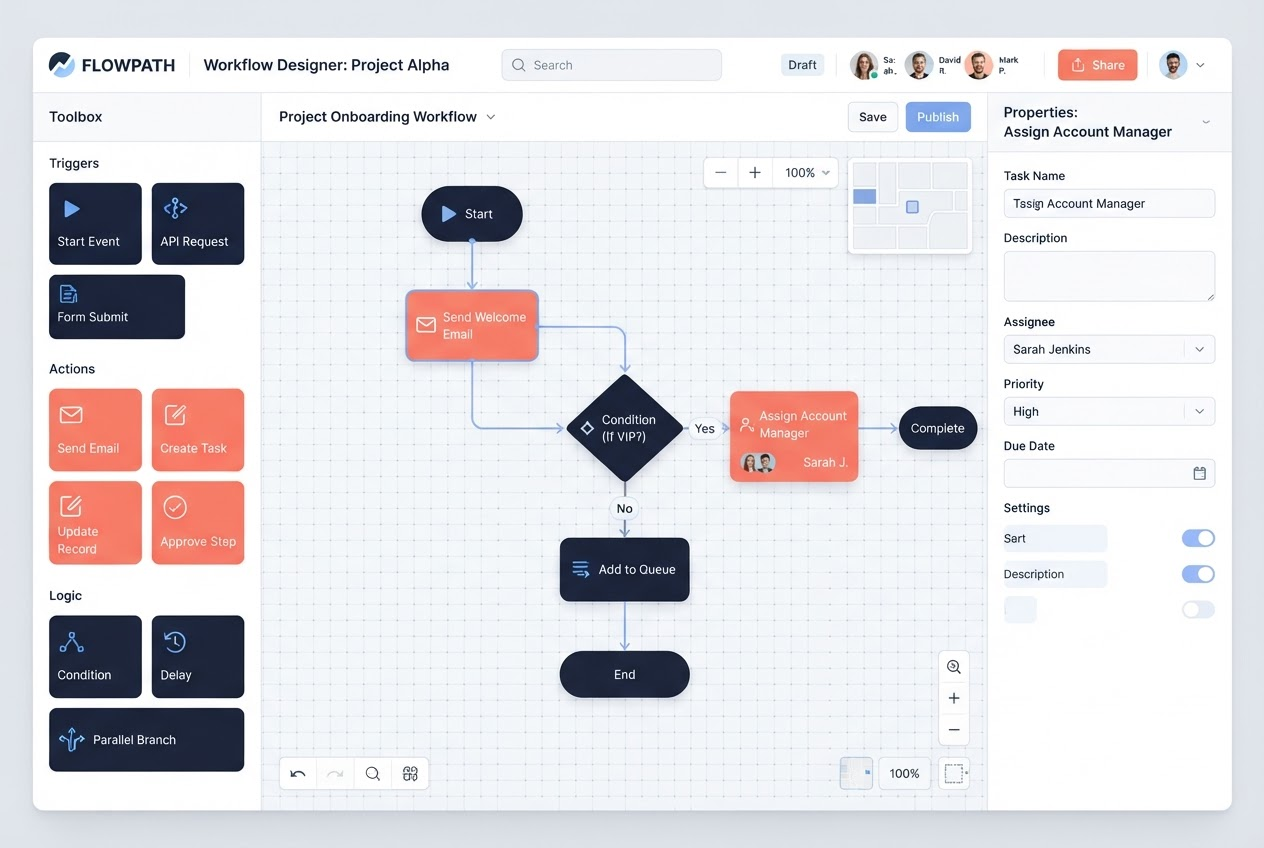
Available Process Blocks
Trigger Blocks
Start workflows with various triggers:
- • Manual trigger
- • Scheduled triggers
- • Webhook triggers
- • Email triggers
- • Event-based triggers
Action Blocks
Perform actions within your workflow:
- • Send notifications
- • Create records
- • Update data
- • Call APIs
- • Route requests
Decision Blocks
Make intelligent routing decisions:
- • Conditional branching
- • Rule evaluation
- • Data mapping
- • Logic operators
- • Field validation
Utility Blocks
Control workflow execution:
- • Wait/delay blocks
- • Parallel processing
- • Error handling
- • Loop operations
- • Data transformation
Builder Features
Visual Editing
See your entire workflow at a glance. The visual canvas makes it easy to understand complex processes and identify improvements.
- ✓ Auto-layout suggestions
- ✓ Pan and zoom controls
- ✓ Connection validation
- ✓ Real-time error detection
Version Control
Never lose work with automatic version history. Easily compare versions and rollback if needed.
- ✓ Automatic version saving
- ✓ Comparison view
- ✓ Rollback capability
- ✓ Deployment tracking
Testing & Debugging
Test workflows with real data before deploying. Debug issues with execution logs and trace details.
- ✓ Dry-run mode
- ✓ Execution logs
- ✓ Variable inspection
- ✓ Breakpoints
Collaboration
Work together on workflows with comments, version history, and change tracking.
- ✓ Real-time collaboration
- ✓ Comments on blocks
- ✓ Change tracking
- ✓ Approval workflows
Start Building Today
Create your first workflow with our intuitive process builder.
Explore Platform